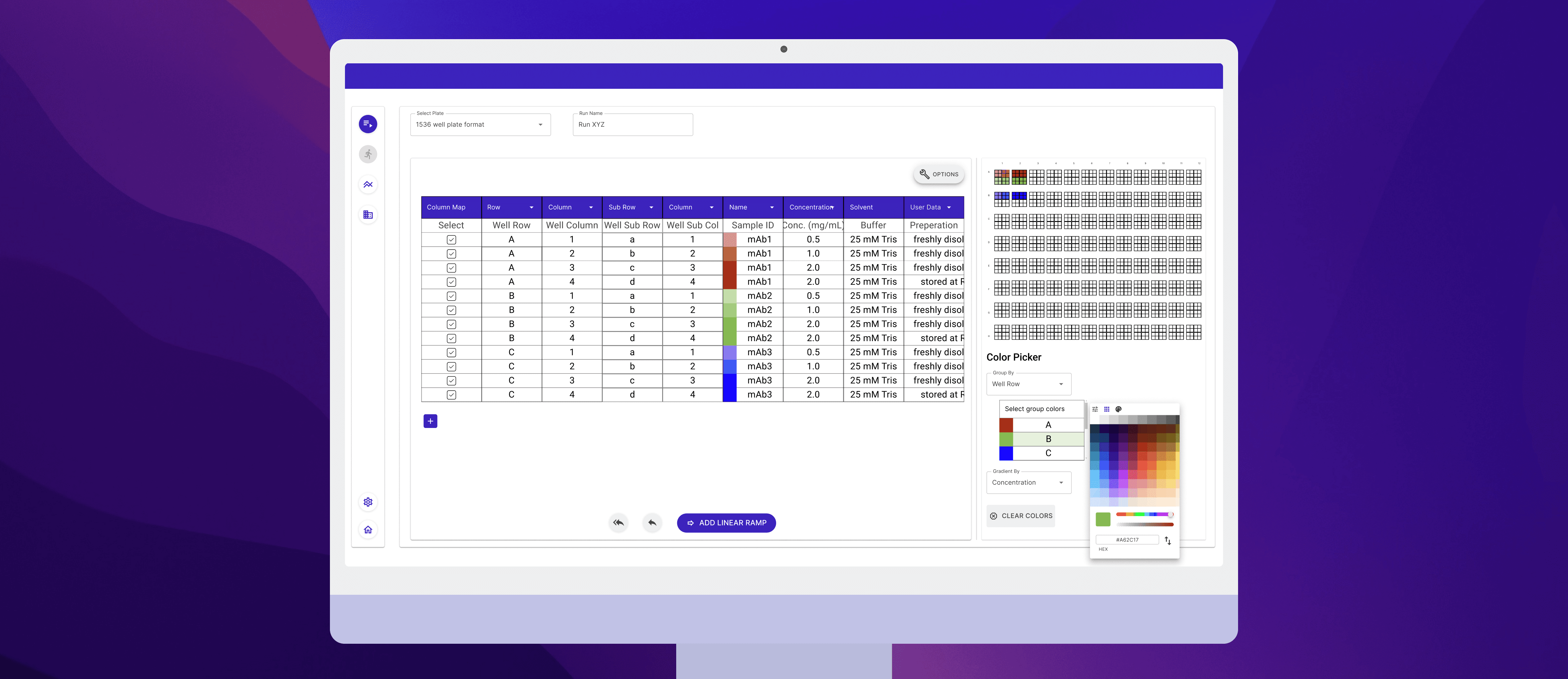
Streamlining Analyses for Biopharmaceutical Scientists
Background
Dimer Instruments builds software used by biopharmaceutical scientists and lab technicians to run and review analyses. I improved the import and analysis flow in a complex, regulated product used daily in labs.
Challenge
The analysis flow had grown heavy with repeated screens, dense layouts, and unnecessary steps. Scientists struggled to review detailed data, while lab technicians lost time on repetitive tasks. This slowed work and caused frustration for both groups.
Impact
~27% reduction in clicks
for repeated analysis tasks
8 new design system components
added to the internal MudBlazor system
Team



My Role
Solo designer
UX & UI design
Documentation
Timeline
2 months (2025)
NDA Alert
🤫An NDA-respecting Story
Solo designer to rebuilt core workflows
I worked directly with the CEO and engineers to redesign workflows for scientists and technicians and establish a design system foundation for future features.
🧭 My key challenges from the project
1.Designing for two roles with conflicting needs in one interface
An early challenge was to understand what the user groups prioritized for such complex workflows.
Lab technicians were speed-first and repeat the same workflows everyday with no configuration changes
Scientists focused on high accuracy and relied on deep configuration and full data visibility
2.Design system limitations
The product was built on MudBlazor, which limited available components. Any new patterns I designed needed to stay realistic for engineering to implement and maintain.
3.NDAs meant limited user access
NDA restrictions and a small user base meant research time was limited. Each interview and review session had to be focused on the highest-risk decisions.
🔍 Understanding what slowed users down
1.Too many steps for common tasks
Routine actions required navigating nested menus and repeated screens, extending analysis time.
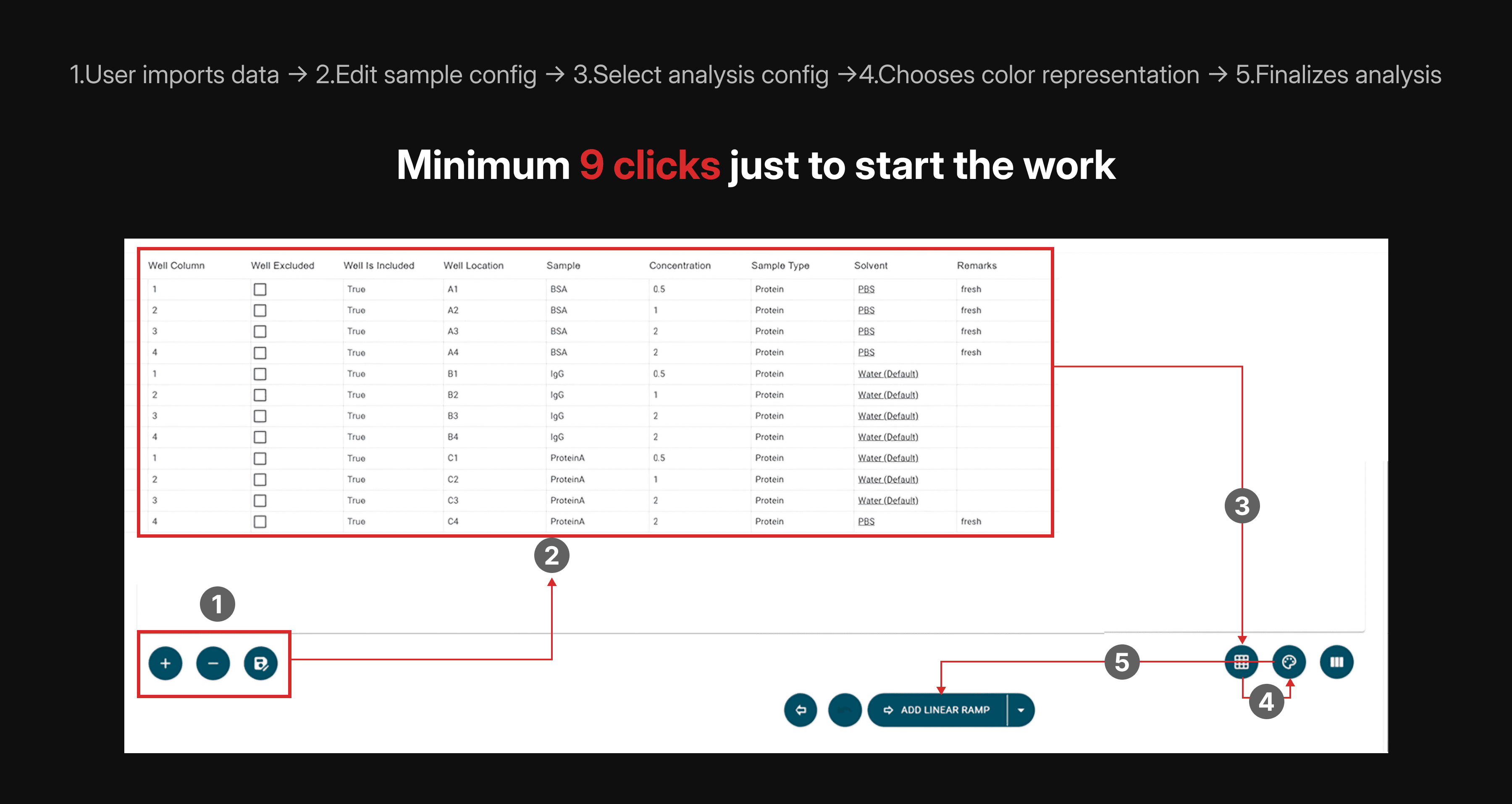
Example: Creating a new analysis meant users had to wrestle with scattered controls and clicks
2.Dense layouts hid what mattered
Critical measurements and controls were scattered across screens with weak hierarchy, forcing users to scan or rely on memory.
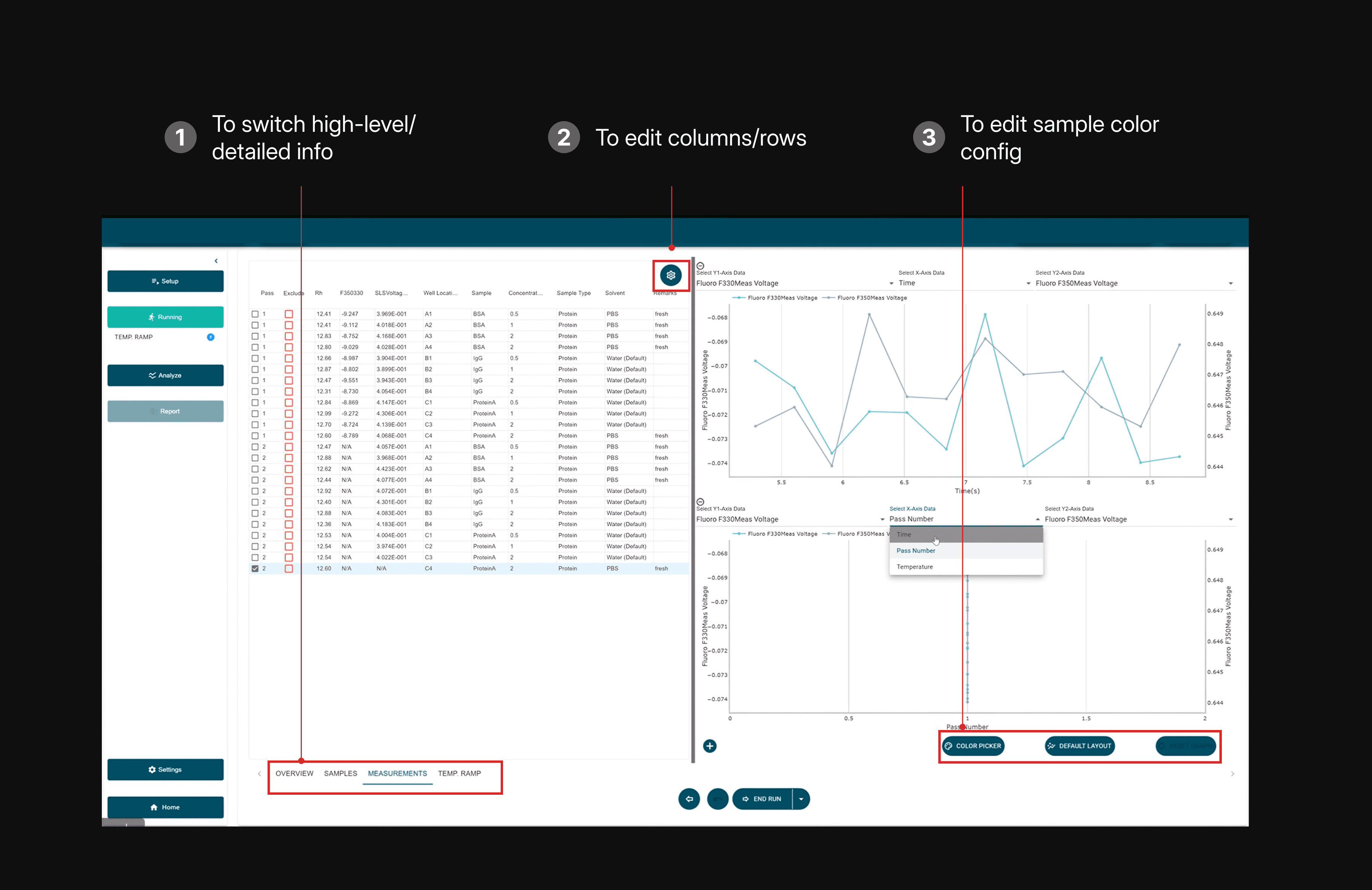
Example: Hierarchy for core workflows screens and buttons were scattered and not easily visible
Testing within real constraints and tight feedback loops
With limited user access, I ran structured walkthroughs with internal power users and stakeholders. Sessions focused on speed, clarity, and error recovery. Heatmaps identified key components and helped reduce visual clutter.
🎯
Final Designs
Redesigning the import experience
The Problem: Nested buttons and unnecessary clicks for repeated tasks meant wasted time
What I designed: Step-by-step guidance, inline validation, clear recovery and balancing visual density with usability.
Early feedback saw ~27% fewer clicks for daily tasks
I reduced clicks by optimizing components to require lesser clicks and changes to be made quickly
Improving analysis readability
The Problem: Critical measurements and controls were scattered across screens with weak hierarchy
What I designed: Reorganized analysis screens to create clear hierarchy, group related controls, and surface key measurements early, while keeping detailed settings accessible.
All testers found the new visual hierarchy better than before
By removing visual clutter and adding better hierarchy and white-space, users could more easily focus on the data and buttons they typically used
Extending the MudBlazor design system responsibly
I designed 11 reusable components tailored to scientific workflows, including data tables, validation states, and configuration panels, aligned with existing engineering patterns.
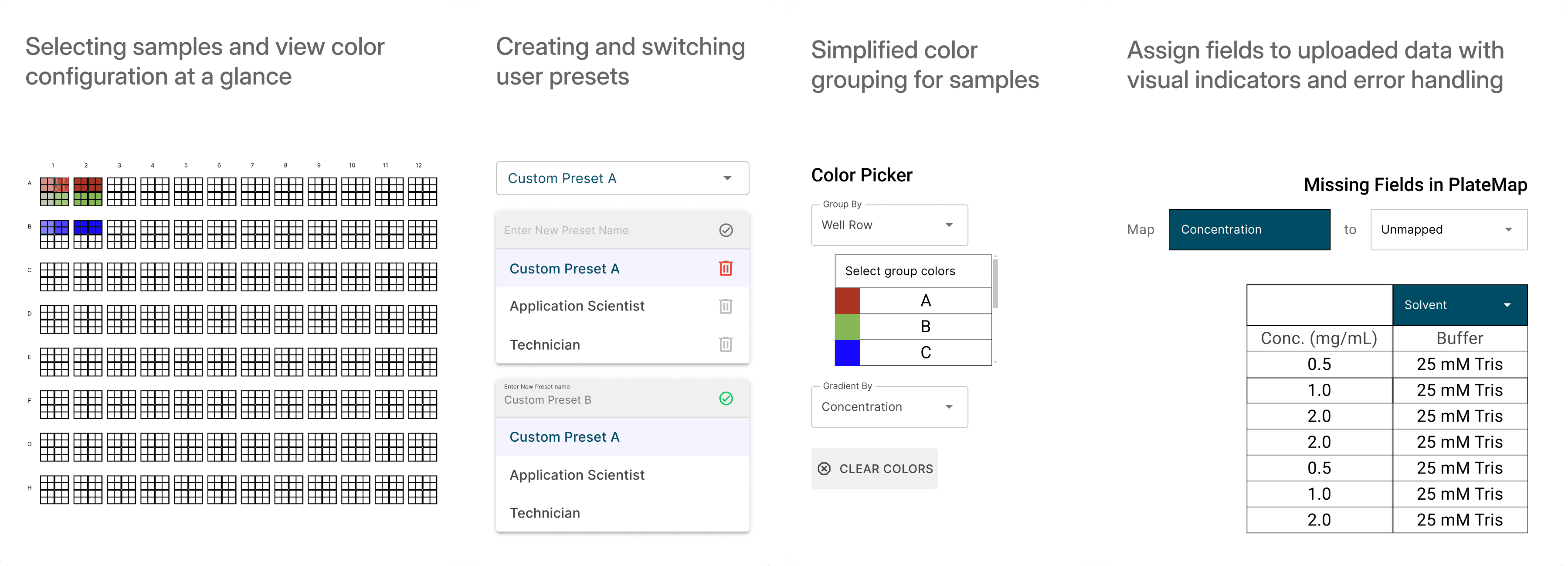
I made updates and added design components to reduce the number of clicks requires and added better error handling
Impact
~27% fewer clicks
in repeated analysis workflows
8 reusable components
supporting faster future development
Clearer task flow balancing speed and accuracy
for both scientists and technicians
Reduced support friction
through clearer validation and feedback

Thank you for reading!
Next Case Study
The Coca-Cola Company
Unifying 500+ brands for 17M monthly users
Led Coca-Cola’s global redesign, unifying sites, boosting engagement, reducing costs, and launching scalable components across 200+ countries in 4 months.
Web Design
Design System
Engagement