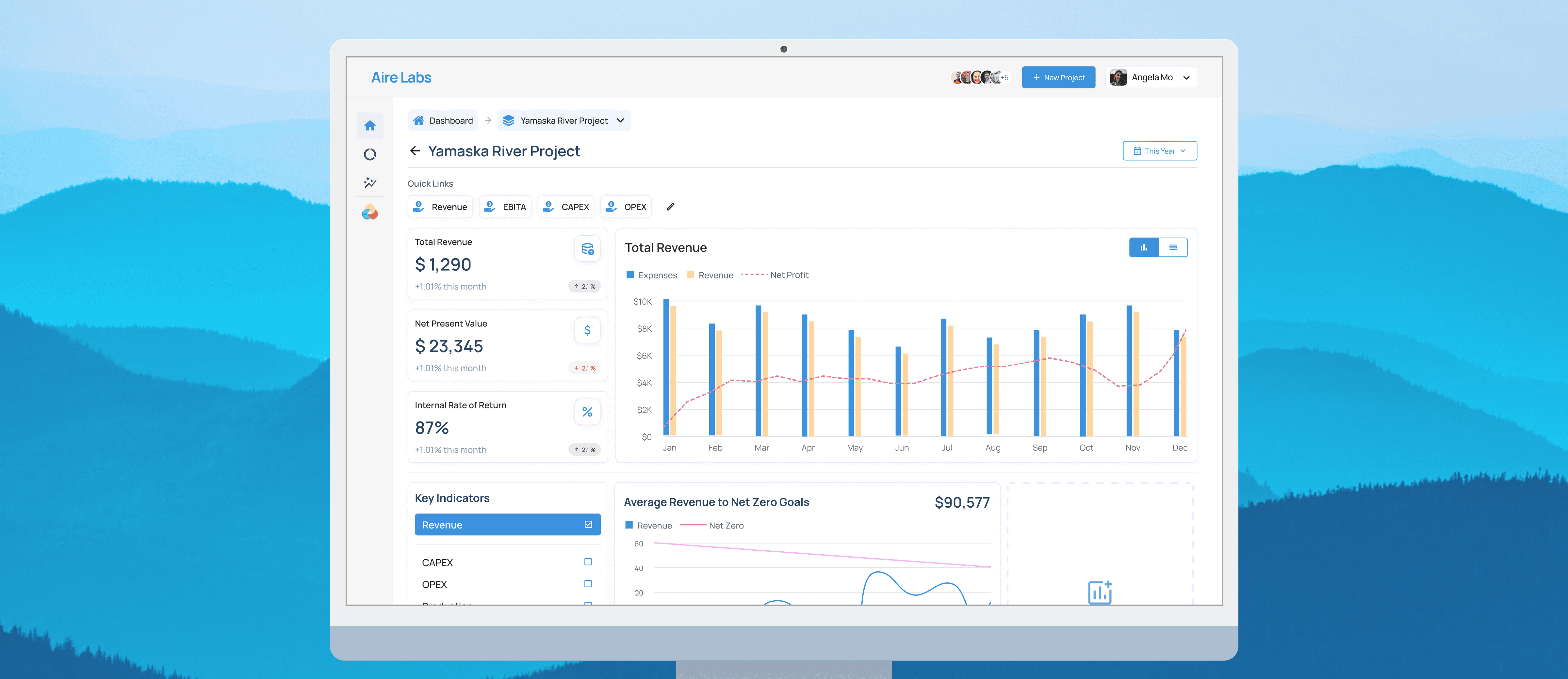
Solving the annual $240k Excel trap for climate tech financial planning
Background
Financial planners at climate tech companies spend 15 hrs/week on Excel validating feedback, fixing broken files, and rechecking numbers. Errors pile up, confidence drops, and companies lose up to $240k a year in productivity.
Challenge
Build a 0-to-1 financial planning platform MVP in 3 months that replaces Excel’s weak points while still supporting the fast-changing, policy-driven decisions climate tech teams deal with daily.
Impact
8 company sign-ups for beta-testing
allowing continuous improvements and solidifying product
35% reduction in time on tasks
from ~2 hours to ~1 hour 20 minutes in preliminary testing.
90% engineering acceptance rate
resulting in a faster development cycle
Team





My Role
Solo designer
UX & UI design
Documentation
Timeline
3 months (2024-2025)
📕 The full story
Aire Labs: Building financial tools for climate tech
Aire Labs builds financial planning tools for climate tech companies where spreadsheets fall apart under complex, changing analyses tied to critical financial decisions.
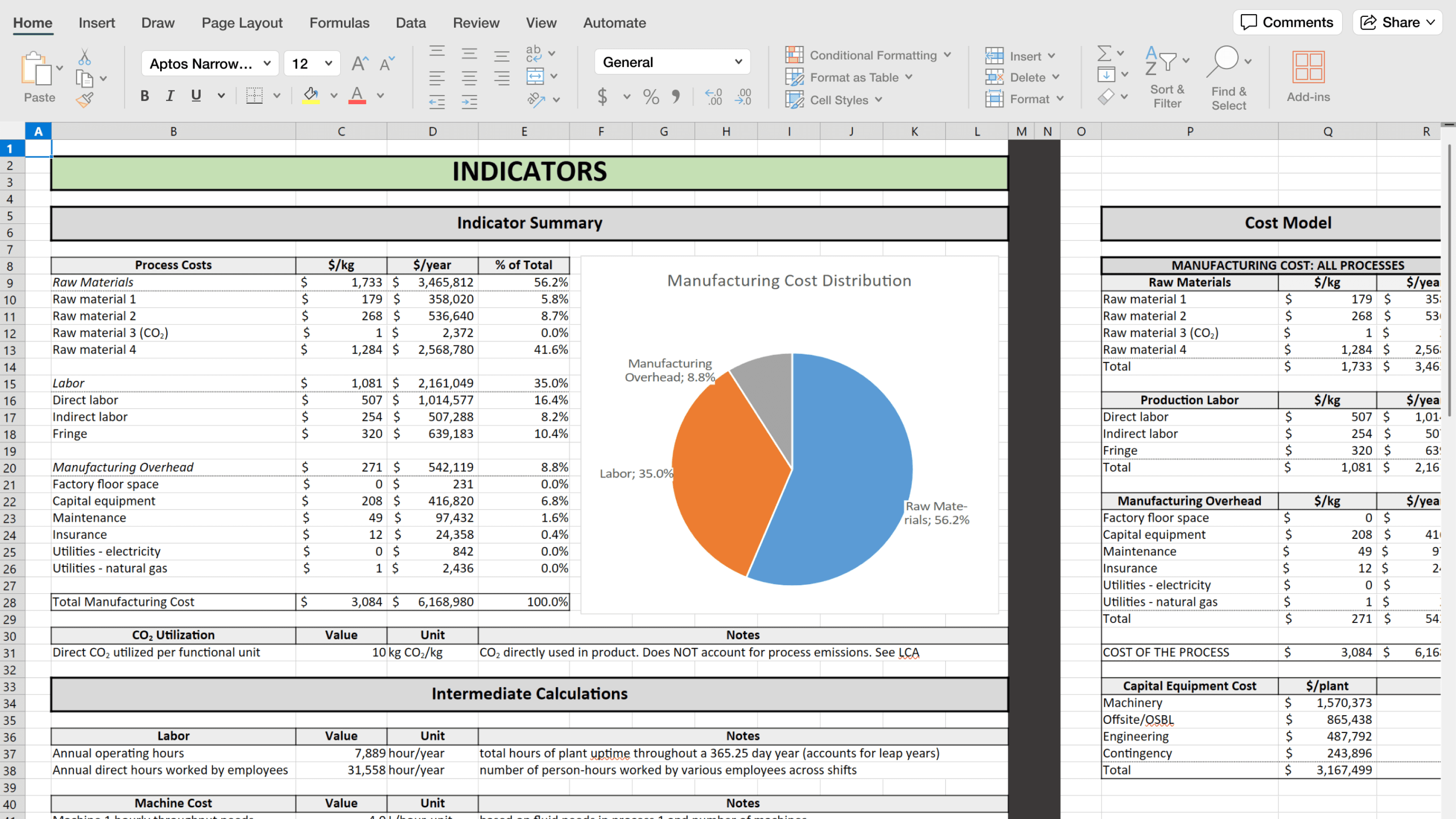
An example of the economic analyses that climate tech project managers do over Excel
0-1 design at a fast-paced startup
As the solo product designer, I worked closely with product, engineering, sales, and customer success teams, leading the end-to-end design for the MVP.
🧭 My key challenges from the project
1.Learning a new domain-quickly
What even is a techno-economic analysis🤔? With a non-financial background, I needed to quickly understand complex climate tech financial concepts to design around users' mental models.
2.Designing with no foundation
No design system. No patterns. No prior product. Every decision had to be grounded in research and tested quickly.
3.A 3 month deadline and limited resources
Three months meant ruthless prioritization. Some ideas shipped. Many didn’t.
7 interviews to understand the problem space I've never worked in
Working with product and sales, I interviewed financial planners across experience levels and reviewed competing tools. Here's what came up over and over:
🔍 Three core problems costing $240k annually
1.Upto 15 hours weekly wasted on validation
"I spend about 15 hours a week validating Excel files. It's even more annoying as I have to keep switching apps to get it done."
Analyst at Redfield
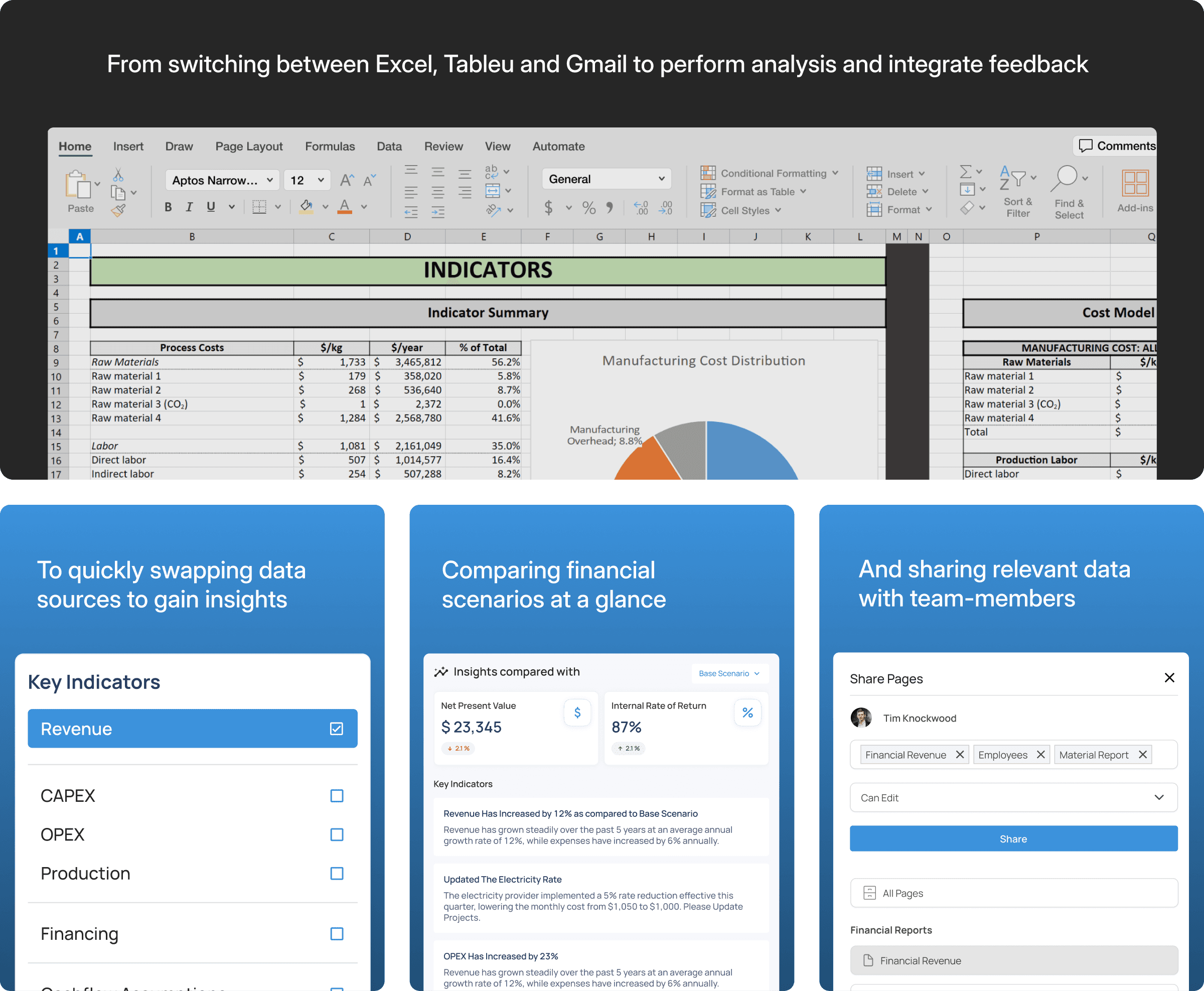
Manual data entry and constant app switching between tools like Excel, Mail, Tableu and Jira forced constant double-checking. Confidence in outputs was low, even when decisions were high-stakes.
Example: With no standardized structure, formulas had to be rewritten or edited as data was added
2.Changing requirements created unmanageable spreadsheet chains
"Where I start is never where I end up. Government policies change, capital costs shift, and suddenly I have 15 versions of the same file."
Climate Tech Financial Analyst
Policy changes and shifting assumptions led to duplicated files, updating numbers/formulas in places, and work thrown away.
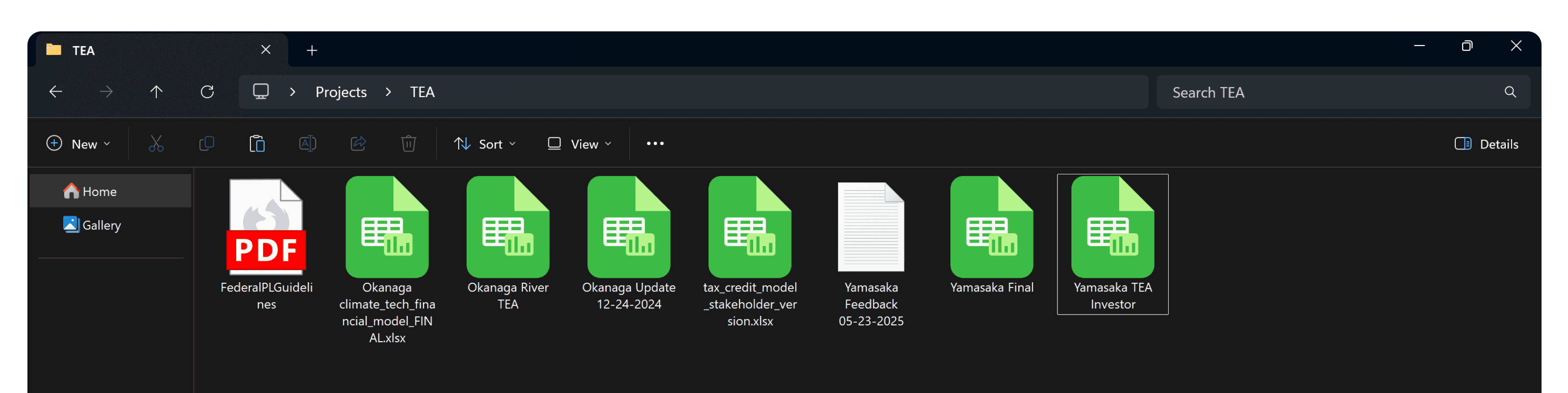
Government changes tax credits? Analysts have to edit, update and validate 4 files for different stakeholders
3.Excel lacked collaborative infrastructure for enterprise workflows
"It's hard to keep track of my work. There's constant feedback and it's all done over email."
Project Manager at Sesame
Emailing files meant losing track of feedback, struggling to merge changes between versions, and having no audit trail.
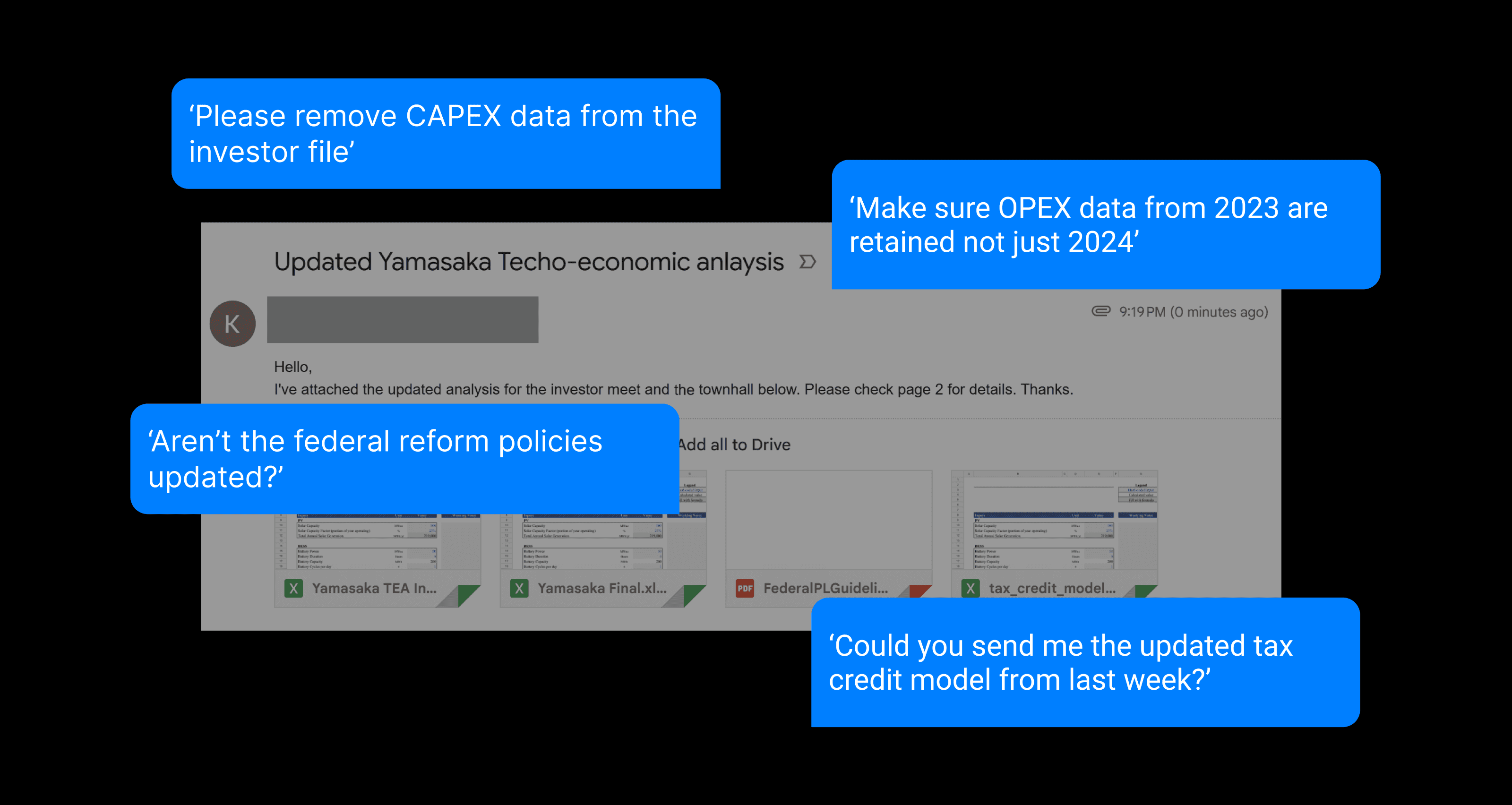
Tracking feedback across sheets, file version, and projects meant you always had a bunch of tabs open
🏗️ Building the design foundation
Designing for adoption, not novelty
Speaking to potential users, I grew to understand that our biggest barrier wasn’t feature parity; it was risk aversion. Teams didn’t want to trade Excel for something that felt slower or riskier.
I changed my design problem statement to:
How do we build strong features addressing pain points for analyst workflows that negate the adoption cost and learning curve?
This change in design thinking led to some early decisions:
Screens had to be scan friendly but offer and streamline Excel capabilities
Material UI was selected to facilitate dense visualizations and align better with engineering.
Using agile cycles to control design scope
With a 3 month deadline, I worked 2-week sprints, scoped by module. Of course, design in real life is almost never as simple, but it helped me manage scope creep.
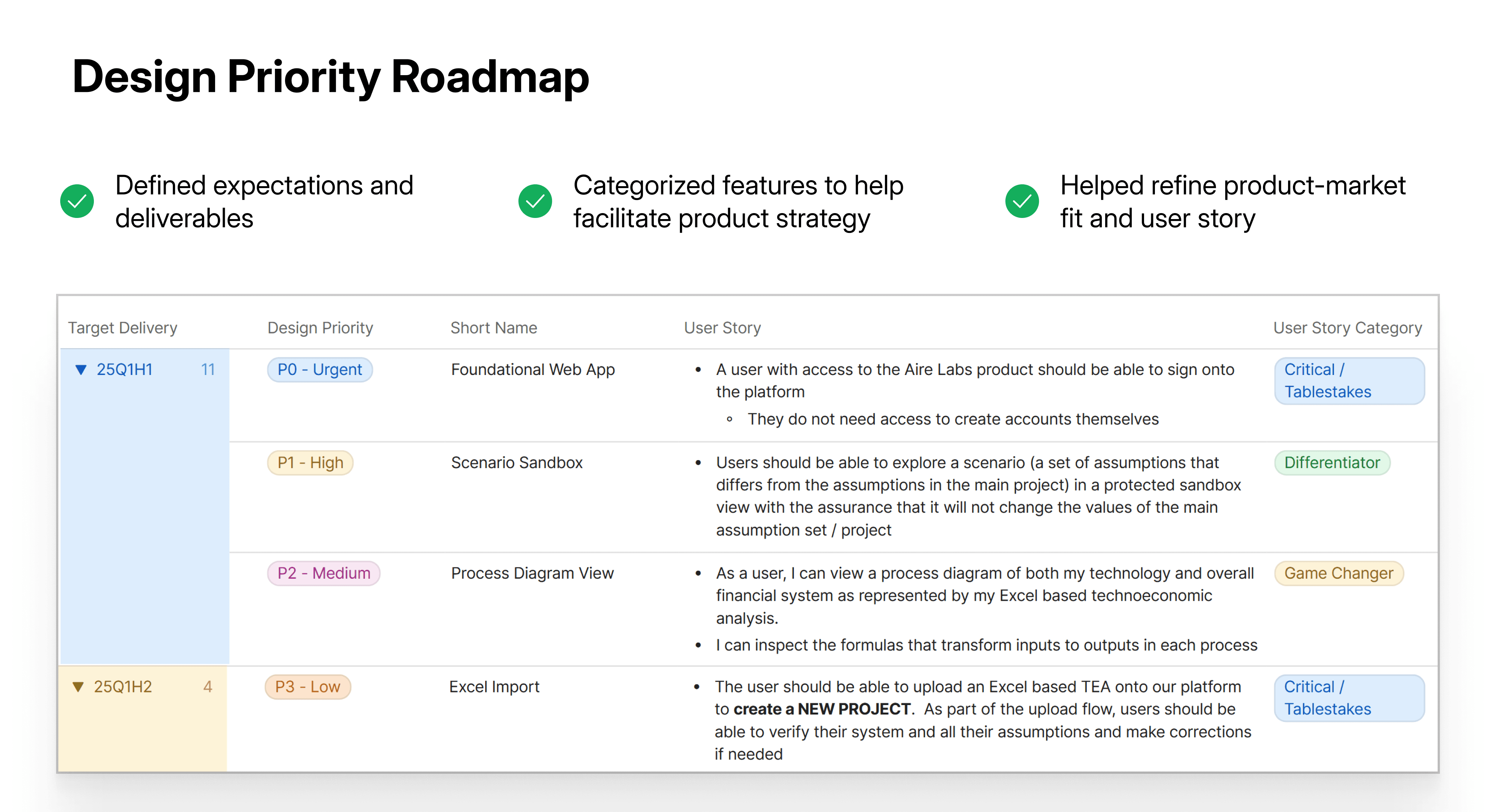
Working with PMs and developers, we prioritized issues based on criticality, impact, and effort, creating a clear backlog to guide execution.
🧩 Pushback and Tradeoffs
Pushback : Think like a startup
During the ideation phase, I received pushback from the PM for not thinking boldly enough and self-editing ideas.
We aren't building a one-and-done product. An MVP is designed to see what sticks with users, even if it isn't flawless
Tradeoff: Cutting features that need more time
With the highly sensitive nature of these workflows, it was crucial to maintain precision and transparency in workflows. Features like AI-driven insights needed more time to be trustworthy, so we pushed them to later phases.
Since our conversational AI and data insights depended on external AI models, we lacked control over potential hallucinations and the security of documents, leading us to decide to defer the implementation.
🧪 Iterations and testing
Focusing on core workflows iterations
With the initial market research and scope constraints defined, I focused on iterating workflows that demonstrated immediate value.
I embraced modularity as a core product ideology during iterations to give users the ability to adapt visualizations as needs changed and tailor views for different stakeholders.
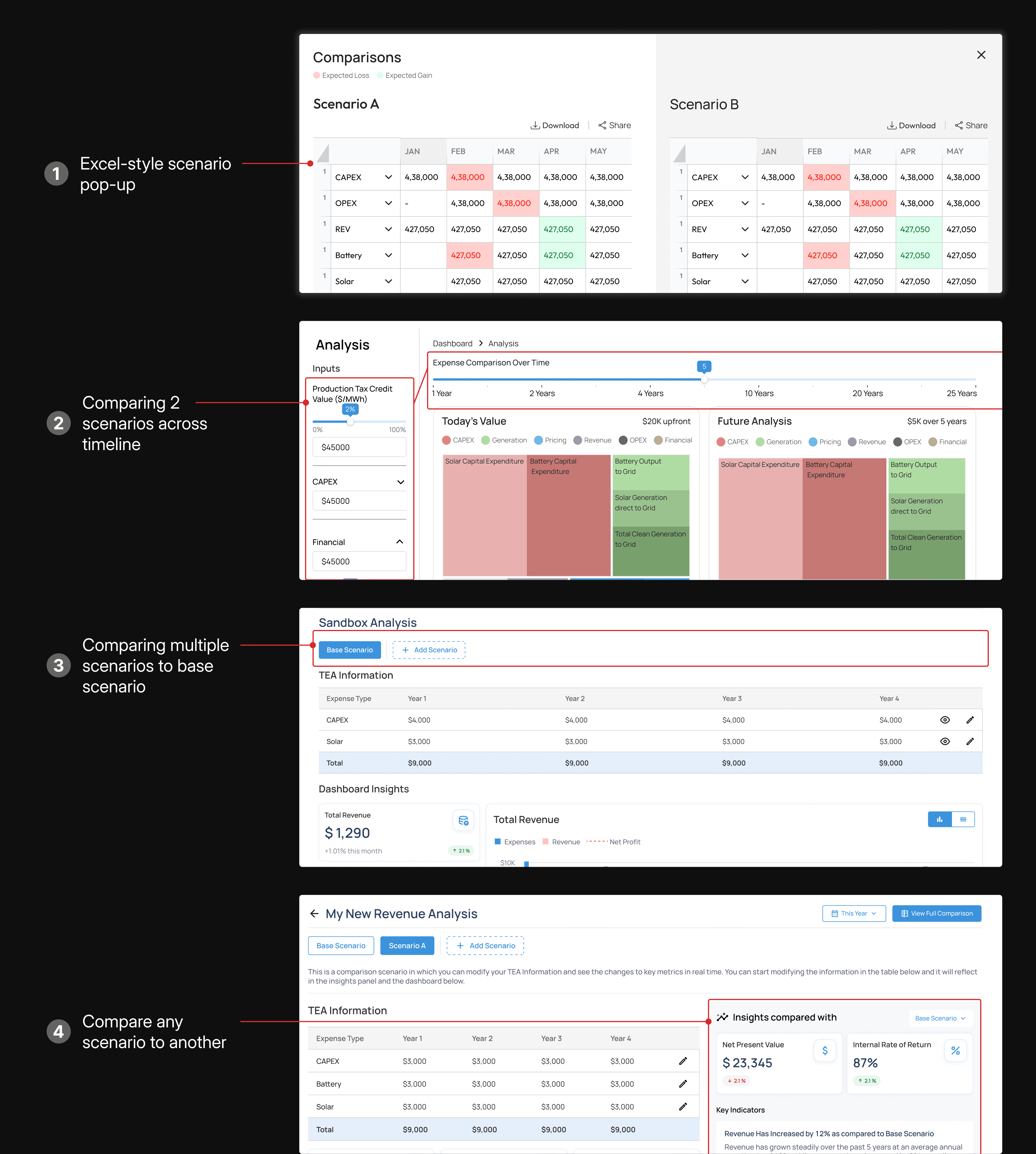
Iterations Example: I explored broad variations to balance visual density with scenario comparison capabilities
Validating ideas to ensure easy adoption
With some design ground beneath us, I started reviewing our ideas with clients, which really helped me balance visual density with usability. Several features that looked useful in isolation were removed once they slowed real work.
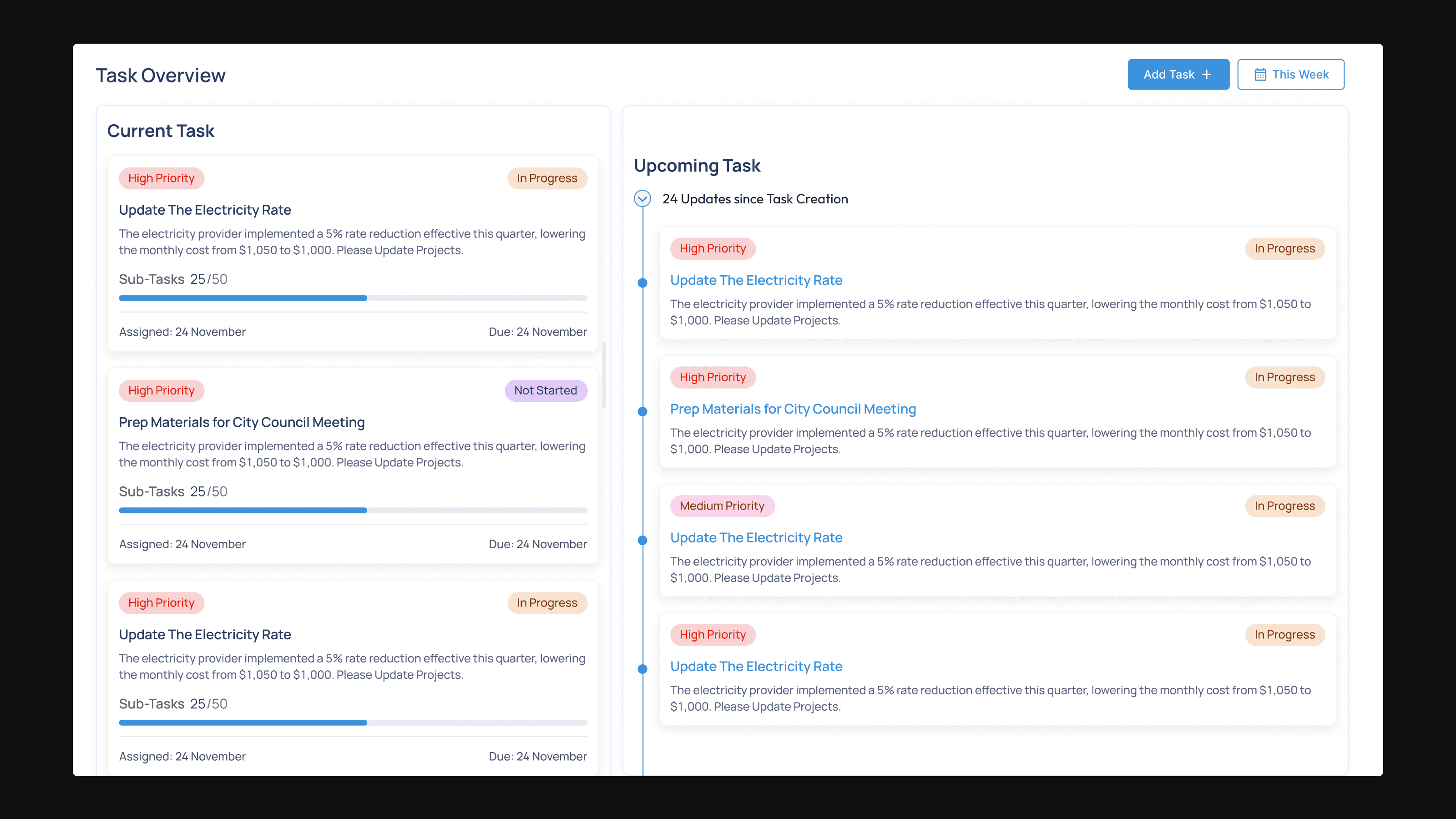
During testing, users pushed back on built-in task tracking. Most teams preferred tools like Jira as a single source of truth, so we cut it from scope.
🎯
Final Designs
Modular dashboards for dynamic requirements
The Excel Problem: Changing assumptions forced teams to duplicate entire spreadsheets.
What I designed: Customizable dashboard modules. Swap data sources, change visualizations, and update models in real-time.
Impact : All testers found quick swapping useful to Excel.
The main dashboard was designed for quick information synthesis and easy swapping of data
Scenario sandbox for instant sensitivity analysis
The Excel Problem: Testing “what-if” cases was slow and error-prone.
What I designed: Side-by-side scenario comparison with one-click variable adjustments. Test multiple scenarios in minutes, not hours.
Impact : Saved users ~ 40 minutes per analysis session.
The sandbox helped analysts test scenarios and report findings quickly without duplicating files
Version control to eliminate collaboration chaos
The Excel Problem: Email attachments, lost feedback, no audit trail meant collaboration was inefficient.
What I designed: GitHub-inspired version control with granular sharing. Track changes, restore previous versions, share specific scenarios with stakeholders, internal or otherwise.
Impact : Cleaner collaboration and fewer mistakes.
Analysts can share specific analyses and customize reports easily for different stakeholders.
Impact
8 enterprise companies signed up for beta
exceeding our initial goal (5)
Up-to 35% reduction in time
on core analyst workflows like scenario planning
90% engineering acceptance rate
leading to fewer design-dev cycles
Validated core value proposition and scaling
allowing feature expansion based on beta feedback
⏭️ Next Steps
1.Smoothing out the onboarding process
With the team focused on shipping the MVP and live onboarding, asynchronous onboarding lagged. I want to revisit it independently to test how intuitive the product is without support.
2.Building and improving roadmap features
Future iterations would integrate AI features like predictive analytics and market trend data, enabling financial planners to model scenarios based on historical patterns and industry benchmarks.
Key Learnings
In high-risk, regulated domains, users optimize for defensibility over speed. Design works when it reduces cognitive and organizational risk. Understanding this is crucial to align my design thinking and outputs accordingly.
In 0–1 products, clear documentation is not overhead. It kept scope in check, aligned teams, and let us move forward despite ambiguity.

Next Case Study
The Coca-Cola Company
Unifying 500+ brands for 17M monthly users
Led Coca-Cola’s global redesign, unifying sites, boosting engagement, reducing costs, and launching scalable components across 200+ countries in 4 months.
Web Design
Design System
Engagement